
Introduction
Since 2017 I have stored all my code in Git repositories on GitHub. However, due to the current political climate and a growing preference for European services, I started looking for viable alternatives. Through the website European Alternatives I came across Codeberg.
Codeberg is a version control service for open-source projects based in Germany and hosted within the EU. It is built on Forgejo, an open-source software forge and version control platform.
Coming from GitHub, I needed to change a couple of things when moving to Codeberg.
Migrating repositories
After creating an account on Codeberg, migrating GitHub repositories is straightforward. Codeberg provides a “New Migration” option that allows you to import existing GitHub repositories: New Migration.
First you need to create an access token in GitHub. Then start a migration on Codeberg using the migration page linked above.
The migration process imports not only the Git repository itself, but also issues, pull requests, labels, milestones, wiki pages and releases, making the transition relatively painless.
Updating your profile README
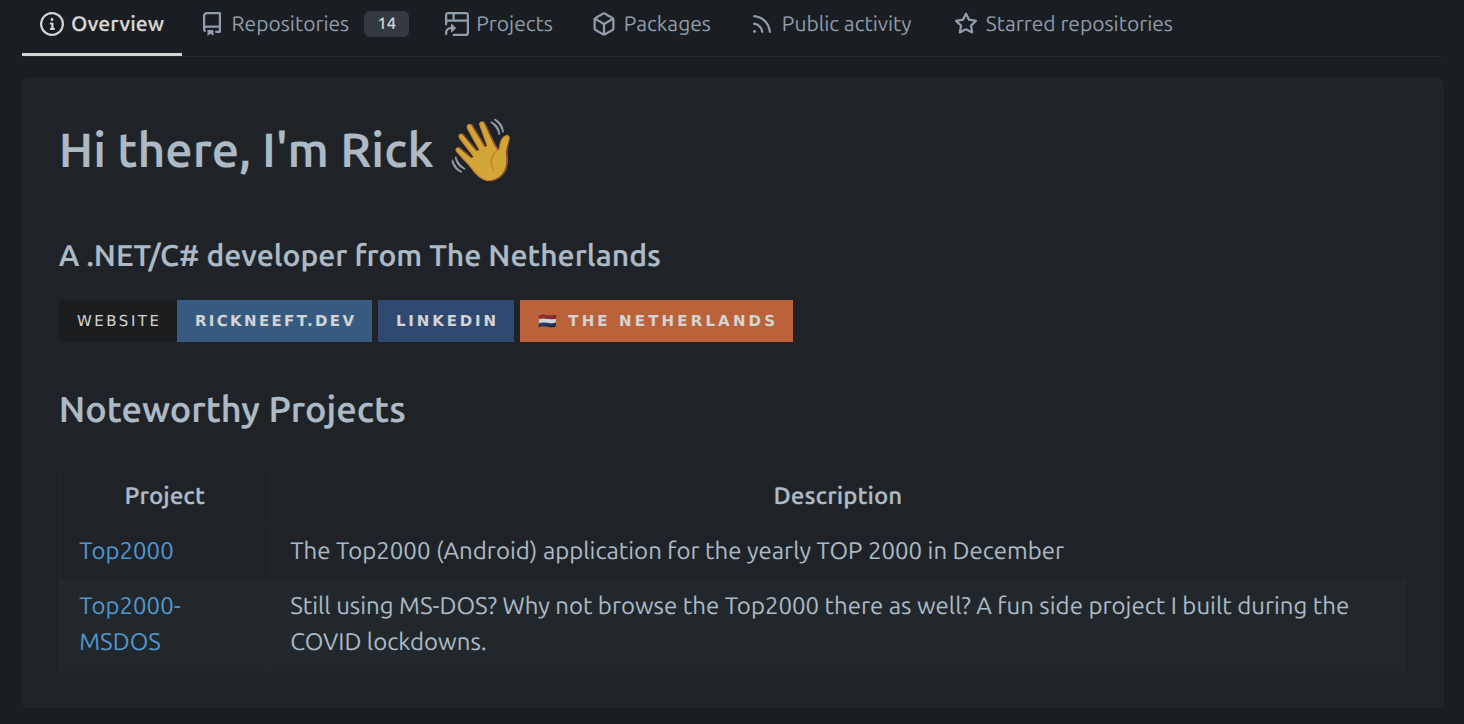
GitHub allows you to create a personalised profile page. Codeberg offers a similar feature. Simply create a repository named .profile and add a README.md file.
Mine can be found here.
The README is then rendered as HTML on the Overview tab of your profile.
Codeberg Pages
Just like GitHub, Codeberg also supports Codeberg Pages, allowing you to host static websites directly from a repository. Documentation for setups without a custom domain can be found in the https://docs.codeberg.org/codeberg-pages/
I use a custom domain, and I found the setup considerably simpler than GitHub Pages.
One thing I immediately appreciated is that you can name your website repository whatever you like. Unlike GitHub Pages, it does not need to follow a specific naming convention. In my case, this website is hosted from the blog repository.
The next step is updating your DNS records. I added a CNAME record for www pointing to codeberg.page. and a TXT record named _git-pages-forgejo-domain-verification containing my repository URL: https://codeberg.org/rneeft/blog.
This TXT record is used to verify ownership of the domain and allows the Forgejo Actions workflow to publish the website.
Speaking of Forgejo Actions, GitHub Actions workflows cannot be used directly. They need to be adapted for Forgejo Actions instead. Fortunately, for a simple static website, the workflow is straightforward:
1
2
3
4
5
6
7
- name: Publish Pages
  uses: https://codeberg.org/git-pages/action@v2
  with:
    site: https://www.rickneeft.dev/
    server: codeberg.page
    token: $
    source: _site/
You also need a way to build it. The full yml that deploys my site can be found here. My old Github workflow can be found here
You also need a workflow to build and deploy your site. The complete Forgejo workflow that deploys my website can be found here. For comparison, my original GitHub Actions workflow can be found here.
One final tip: initially configure your site to use HTTP rather than HTTPS. This allows Codeberg to provision the TLS certificate for your domain. Once the certificate has been issued, you can update the configuration to use HTTPS.
Final Thoughts
Over the last year I am exploring European alternatives for the services I use day to day. For example, earlier this year I migrated my mail from Outlook.com and Microsoft 365 to Runbox, a Norwegian email provider. All with the help of the European Alternatives website.
My search for an alternative to GitHub eventually led me to Codeberg. I like how simple it was to adopt, to migrate and how easy it was to setup Codeberg pages. Now I just need to get used to Forgejo actions.